Make a pen
Sign up and about a minute later you have your pen: your own walled-off space on the internet. It's yours: you make the rules.

A private internet · By invitation · No mercy
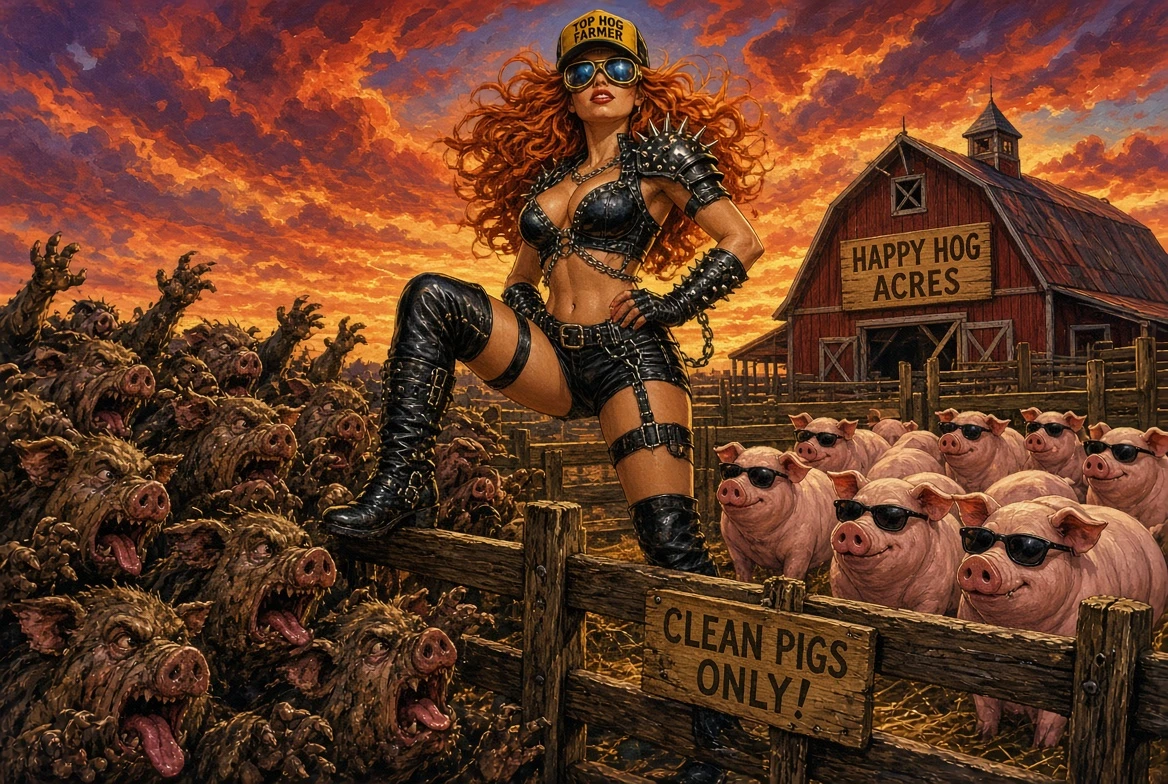
Websites, chat and photos that only your people can open. Hogman gives you your own private internet: you invite who you want, and everyone else on Earth can't even find it. Get one on our server in about a minute. The filthy horde stays outside the fence, howling.
Get a pen What is it? Read the docs
Free while we test. Sign-ups take an invitation code for now; no code? Join the waiting list.
Your own little internet, with a guest list. You make a private network and invite the people you want. Inside it you can have websites, message boards, photo pages, anything you'd normally use in a browser, and they work just like the sites you already visit. The difference: only the people you let in can reach them.
From the outside, there is nothing there. Your sites don't have public addresses, so strangers, scrapers and attackers can't find them, can't load them and can't try to break in. There's no login page for them to guess at.
You stay in charge. You hand out invitations, everyone gets a proper name, and if someone misbehaves you remove them, every device at once, in about two seconds.
A private corner of the internet for you and your people.
Sign up and about a minute later you have your pen: your own walled-off space on the internet. It's yours: you make the rules.
Send each person a link. They open it, copy the one command it shows, and they're in. Nobody else can get in without a link from you.
Inside: your photos, your chat, your own websites, in any ordinary browser. Outside: strangers and bots find nothing at all. Not even a door to knock on.
A normal website is open to the whole internet, and bots try its login page all day. A site in your pen can't be found from the open internet: to everyone you didn't invite, it doesn't exist.
The same thing, for people who want to know what's actually running. Everything is open source: github.com/celtiberi/hogman.
smith.hogman) answered only inside the mesh,
and its own certificate authority whose root is name-constrained to that zone, so it can't
vouch for any other site.hogman-join
checks it before trusting anything, then starts a small connection, running as you, never
as administrator, that carries only HTTPS to the pen's names.# bob types https://photos.smith.hogman 1 DNS photos.smith.hogman → 100.80.12.7 answered by the pen's DNS, on the mesh only 2 policy bob's laptop → alice's photos server: allowed (a member's device → a server) 3 tunnel WireGuard, bob → alice, end to end direct if possible, else the pen's relay 4 TLS certificate for photos.smith.hogman signed by the pen's CA, whose root hogman-join installed on bob's computer after checking its fingerprint ✓ page loads, with the padlock # a stranger types the same address ✗ DNS no such name. There is nothing to reach.
hogman-join and the sign-up service in Go, plus shell tools to run
pens and hostsExact versions are pinned in core/compose.yaml.
Not audited yet. The keeper (and we, for hosted pens) can see who's in a pen and which names get looked up, never what members send each other.
Anything you'd put on a website, for people you actually know. You bring the apps (a photo gallery, a forum, a wiki: there are good free ones), put them in your pen with one command, and Hogman makes them private.
Photo albums, a shared calendar, recipes, the family group chat. Only the family can see any of it. No ads, nothing public, nobody else's servers reading along.
Your own private Facebook: a message board, events, a members page. The fantasy league, the band, the climbing club, the old school crew.
A customer portal that only invited customers can even reach, so attackers never see a login page to attack. (Hogman isn't audited yet, so wait for that before putting anything high-stakes behind it.)
Internal tools, a wiki and dashboards for the team, reachable from anywhere by employees and invisible to everyone else. When someone leaves, they're out in seconds.
A forum, a newsletter, a shared archive for a group that wants its own space, away from bots, trolls and drive-by strangers. Members vouch for new members.
The home server, the media library, the side project you're not ready to show the world. Reach it from your laptop or phone wherever you are, with real HTTPS.
Things you probably use today, and what changes with a pen.
Same idea, a place for your people, but it's yours: no ads, no company reading along, no algorithm, and nobody gets in without your invitation. You can have a forum, a chat, photo albums, whatever you like.
Your files live on a server in your pen instead of someone else's cloud. Only invited people can open them, and there's no public link that can leak.
A password page still sits on the open internet, where bots hammer it all day. A site in your pen has no public address at all: strangers can't even find the login page.
A VPN hides your browsing. A pen is different: it's a private place with its own websites and its own guest list. Your normal internet keeps working as usual.
Do I need to be technical? To get a pen and invite people, no: you sign
up on a web page, and your guests click a link and paste one command. Putting a folder
or a website in the pen is one command too: hogman-join share photos ~/holiday.
Bigger apps (a forum, a photo gallery) you install on an always-on computer the usual way,
then share with the same one command.
Do my people need to install anything? A small program, once. The invitation link walks them through it on a Mac or Linux (Windows is coming, and a phone app).
Can strangers find my pen? No. Nothing inside it has a public address. From the outside there is nothing there to find.
What if I invite the wrong person? Remove them from your pen's home page. All their devices are cut off at once, in about two seconds.
Why not just use Tailscale? If you're technical and only want your own devices connected, do: Hogman is built on Tailscale's open-source pieces and runs happily alongside it. Hogman is for running a private place for a group of people: guests join from a link, the keeper runs the guest list from a web page, every pen has its own names, and its certificates stay inside the pen instead of showing up in public certificate logs.
What does it cost? Free while we test it. Or run it on your own server, free forever: it's open source.
Can you see what we do? No. What your people send each other is encrypted from one device to the other. If we host your pen, we can see who is in it, but not what anyone says. If that's too much trust, run your own.
More questions and troubleshooting Use cases, worked through
Four things to know. That's the whole idea.
That's you
The keeper. Your pen lives on our server or your own. Either way you decide who gets in, what they're called, and who gets the boot.
The network
An encrypted mesh that only exists for those inside it. From the outside there is nothing to see, nothing to knock on and no way in but the gate.
Your people and their devices
Everyone you invited, each one known by name. They browse, they host sites, they visit each other. It works like the internet, minus the internet.
Everything else
Strangers, scrapers, bots, anything you didn't invite. They can scream at the fence all night. Nothing inside can hear them.
Stock browsers. Stock tools. Nothing special to learn.
Every pen has its own name, and so does everything in it: alice.yourpen.hogman, blog.alice.yourpen.hogman. First come, first served. Nobody outside can look them up.
Your pen runs its own certificate authority. Sites get HTTPS automatically, and browsers show the padlock. That authority can only vouch for names inside your pen. We checked, by trying to make it vouch for Google. It refused.
You hand out single-use invite links. No link, no entry. How someone earns a link is up to you: a form, a vouch, trial by combat.
Personal devices accept no visitors at all. Only servers can be reached, and sharing something from your laptop makes a small server just for that, so nothing else on your laptop is ever on show by accident.
Every pen has its own gate, its own names and its own certificate authority, sharing nothing with any other pen. Whoever keeps it never sees what your swine say to each other. Want nobody upstream at all? Raise it on a server of your own.
A device that wriggles under the fence without an invite isn't on the list, so it can't reach a single thing. It just stands there, looking guilty.
Sometimes a clean pig goes bad. Rolls in something. Starts selling crypto. One command and they're back outside the fence, with their sites gone and their names held so nobody can pretend to be them.
Measured on a real Mac over an ordinary home network, from pressing enter to the door closing.

One link, one command, about a minute.
# the command your invite page gives you: copy, paste, enter
$ curl -fsSLo hogman-join https://smith.pens.hogman.network/join/dl/hogman-join-Darwin-arm64 \
    && chmod +x hogman-join \
    && ./hogman-join 'https://smith.pens.hogman.network/join#t=(your invite)&fp=(the pen's fingerprint)'

• Checking the network at smith.pens.hogman.network
  network: smith.hogman
  its certificate matches the link
  and can only vouch for names ending in .smith.hogman

• Redeeming the invite
  Choose your name on the network: alice
  welcome, alice

✓ You're in. You are alice on smith.hogman.
Once you're in, one more command puts a folder or a website you're building into the pen, with its own name and the padlock. Only people in the pen can open it, and your laptop itself still takes no visitors. A spare computer that isn't in the pen can do it too: press Get a share link on your pen's home page and add the link to the command. All the options · Joining in detail
# a folder, served as a website
$ ./hogman-join share photos ~/holiday

✓ https://photos.smith.hogman is up.
  Everyone in the pen can open it.

# or a site you're building, by its port
$ ./hogman-join share blog 3000
Your own private internet, on our server. Free while we test it.
Rather run your own server? It's open source, same software, nobody upstream: raising your own pen.
Invited to someone else's pen? Nothing to install up front. Open your invite link and copy the one command it gives you.
Forged from good open-source steel: Headscale, the Tailscale client, step-ca and Caddy.
Same pen, same rules. You skip the server.
Free and open source. One small server, a handful of commands, and nobody but you holds the gate. This is the whole point of Hogman, and it always will be.
We run the server; you run the pen. You still decide who gets in, who gets the boot and what everything is called. Every pen gets its own gate, its own certificate authority and its own name book, walled off from every other pen on the farm.
A hosted pen is the same software as a self-hosted one. Ask, and you get your pen's folder: put it on your own server and carry on. Nobody gets locked in.
Sign-ups are by invitation while we test. Got a code? get.hogman.network
Hogman is private, not anonymous. The keeper knows who is in the pen, what devices they have, and which pen names get looked up.
What your swine say to each other. Traffic is encrypted from one device to the other. Your ordinary browsing outside the pen never touches it either.
The keeper holds the gate and the name book. Joining a pen means trusting the person who runs it. Pick a good one, or be one.